Why Your Logo Deserves More Than AI or a Canva Template


It has never been easier to make a logo. Type a prompt into an AI image tool, or pick a template in Canva, swap in your business name, and you have something to put on your website by lunch. For a lot of small business owners, that feels like a smart way to save money.
The problem shows up later. It shows up when the print shop asks for a vector file, when the embroidered polos come back with text no one can read, when you find your "custom" logo on another company's truck, or when you try to register it as a trademark. A logo is one of the few marketing assets you will use every single day for years. That is exactly why it is worth doing properly the first time.
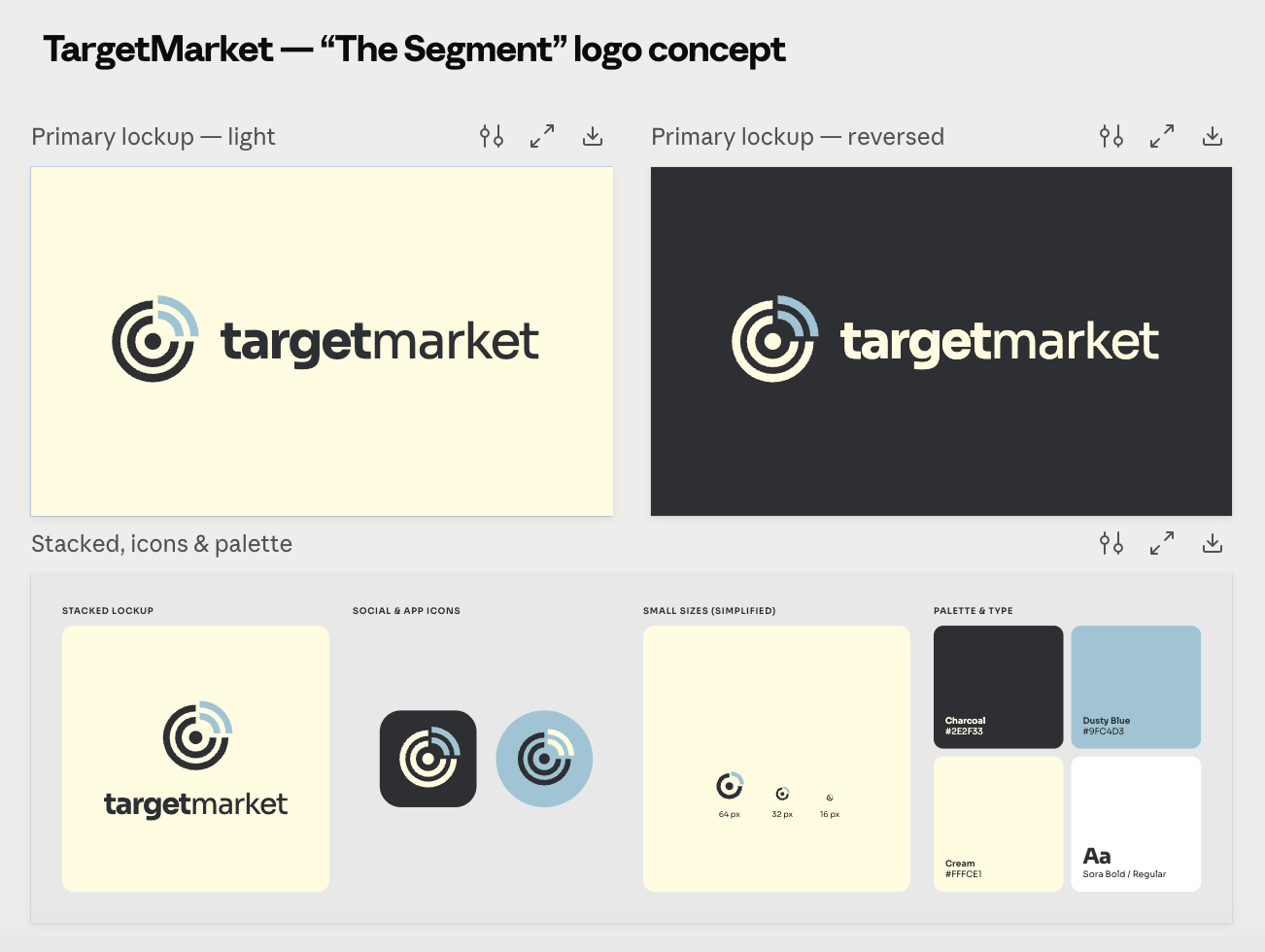
We asked Claude to design a new logo for us and this is what we got back:
A Logo Has a Bigger Job Than You Think
Most DIY logos are designed for one place: a computer screen, at the size the person happened to be looking at. A real logo has to work everywhere your business shows up. That includes a tiny browser tab icon, a social media profile photo cropped into a circle, a business card, a storefront sign, a vehicle wrap, a trade show banner, and a stitched hat.
Each of those placements asks something different of the design. Small sizes need clean shapes that stay readable. Large formats need crisp edges that hold up when blown up many times over. Embroidery and screen printing need a limited number of colors and lines thick enough to reproduce. A logo built only to look good in a single preview usually fails at least one of these tests.
Do You Actually Own It?
A logo is supposed to set you apart. Templates work against that by design, because the same template is available to everyone using the platform. It is entirely possible for a competitor, or a business in a completely different industry, to be using a near-identical version of your logo.
AI logo generators have the same problem in a different form. They don't invent anything. These tools are trained on huge collections of images that already exist online, including other companies' logos and artwork, and they produce new designs by remixing what they've seen. The result may look new, but it's assembled from other people's work, and there's no easy way to know how closely it resembles a logo that's already out there.
Ownership gets murky, too. Canva's licensing terms restrict trademarking designs that use its stock elements, so a logo built from template pieces may not be something you can protect. AI-generated logos face an even bigger hurdle: the U.S. Copyright Office has said that material created by AI without meaningful human authorship isn't eligible for copyright protection. In plain terms, you probably can't copyright a logo an AI tool made for you. If you're building a business you plan to grow, that's a shaky foundation for the mark that represents it.
We're not lawyers, and if trademark protection matters to you, it's worth talking to one. But it's a lot easier to protect a logo that was designed originally for your business than one pulled from a shared library or a prompt.
Our Logos Start With a Drawing
Every TargetMarket logo starts the same way: by hand. These hand-drawn series of concepts are produced by an award-winning illustrator with 20+ years of branding experience. Taking what we have learned from a conversation with you (not a prompt in a box) we can customize a mark that is unique and memorable to represent your brand.
Starting with pencil to paper allows ideas to flow naturally. This process is easier for client collaboration and once the client’s vision is established we can work on refining the concepts into cleaner iterations.
The result is a logo that carries your brand message and the feeling you want your business to stand for, whether that's dependable, welcoming, premium, or rooted in your community.
Built to Last, Not Built for Right Now
Templates and AI tools are trained on what is popular, which means they lean hard into whatever style is trending. Trendy logos feel fresh for a year or two and then start to look dated. Once that happens, you're facing a rebrand, and a rebrand means new signage, new printed materials, new uniforms, updated listings, and time spent re-teaching customers what you look like.
Good logo design works the other way. A designer starts with your business: who you serve, what you want to be known for, and where the brand is headed. The result is usually simpler than people expect, because simple marks are the ones that stay recognizable, reproduce cleanly, and age well. The logos you can picture from memory for well-established brands tend to share that trait.
Longevity also comes from flexibility. A logo designed as a system, with a primary version, a compact version, an icon, and clear color rules, can stretch to fit new products, new locations, and new channels without starting over.
There's a newer longevity risk, too: how customers feel about AI. As AI-generated images become more common, people are getting better at spotting them, and many don't like what they see. Some customers will choose not to support a business that obviously uses AI for its logo or graphics, because it reads as cutting corners or not caring about the details. A logo that looks AI-made today could become a liability as that backlash grows.
Quality Problems Show Up Off the Screen
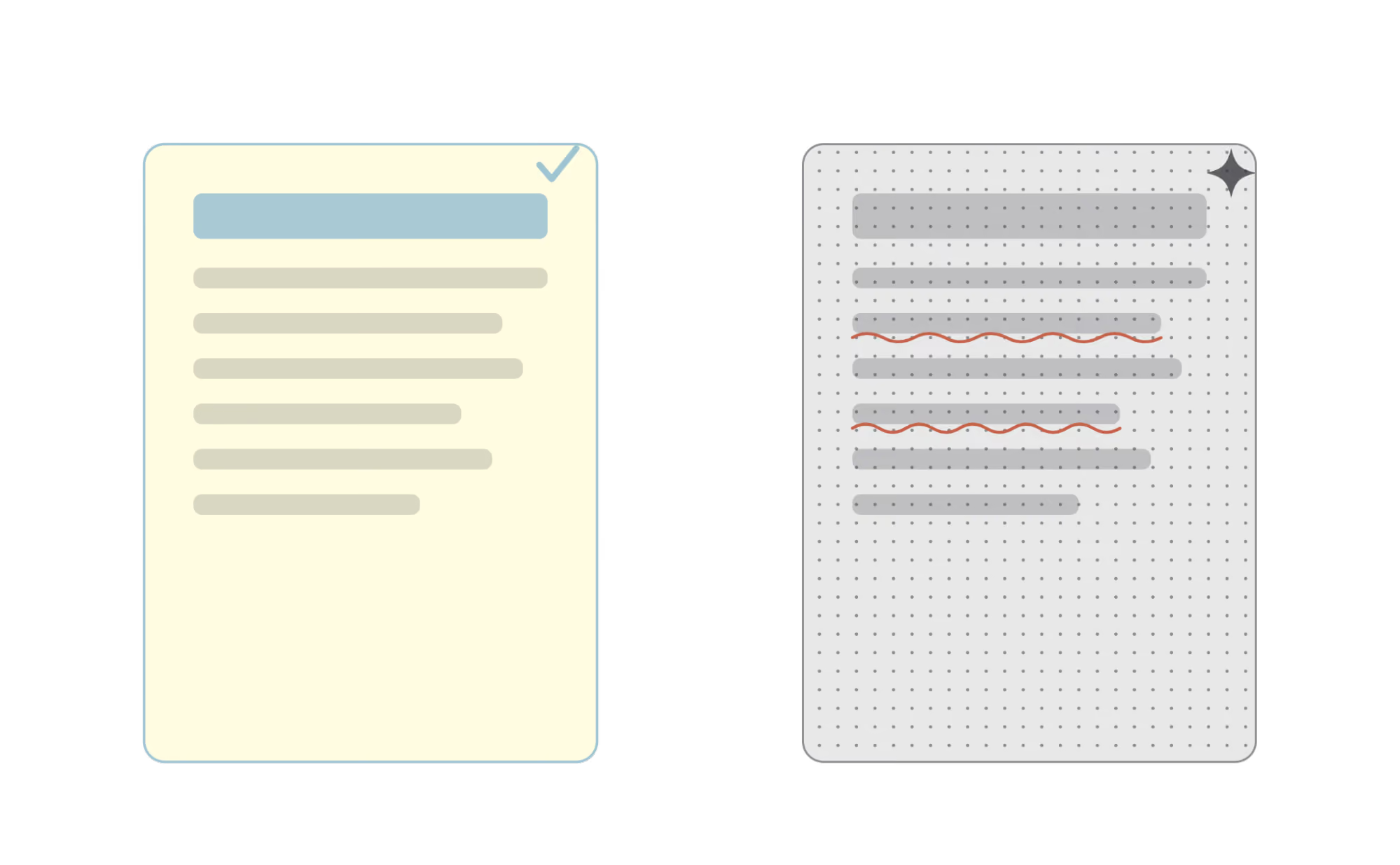
AI-generated logos tend to look impressive at first glance. Look closer and you'll often find details that don't hold up: lettering that is slightly warped, shapes that almost line up, gradients and textures layered into the image, and fine lines that disappear when the logo shrinks. Those flaws are easy to miss on a laptop and hard to miss on a 10-foot banner.
Print and production add their own requirements. Screen printing and embroidery work best with a small number of solid colors and simple shapes. Signage and vehicle wraps need precise vector paths. Your brand colors also need defined values (like Pantone, CMYK, RGB, and hex codes) so they look consistent from your website to your printed materials. A DIY logo rarely comes with any of that, so every vendor ends up guessing.
A designer builds the logo with these uses in mind from the start. That means testing it small and large, in color and in one color, on light and dark backgrounds, before you ever see the final version.
Make Sure You Get the Right Files
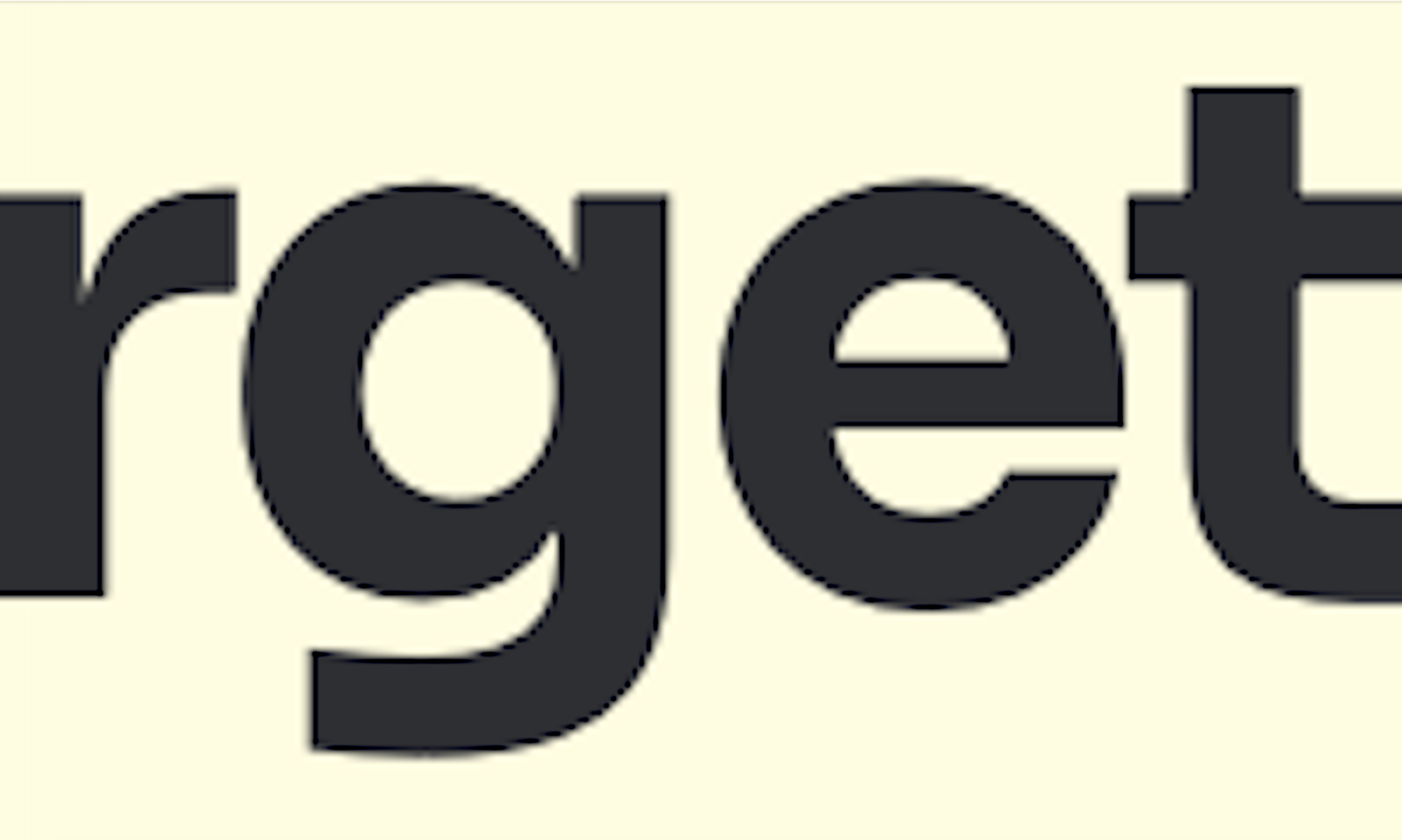
There's also a practical side to all of this. Most AI tools produce raster images, like JPG or PNG, which are made of pixels and turn blurry when enlarged. Canva logos built from template elements often won't convert to a clean vector file either. Vector files are built from paths, so they scale from a business card to a billboard without losing quality, and they're what printers, sign shops, and embroiderers will ask for.
If you enlarge the logos we asked Claude for at the beginning of this post, you can clearly see the pixelated, fuzzy edges:
A professionally designed logo should come with a complete file package. Here is what that typically includes:
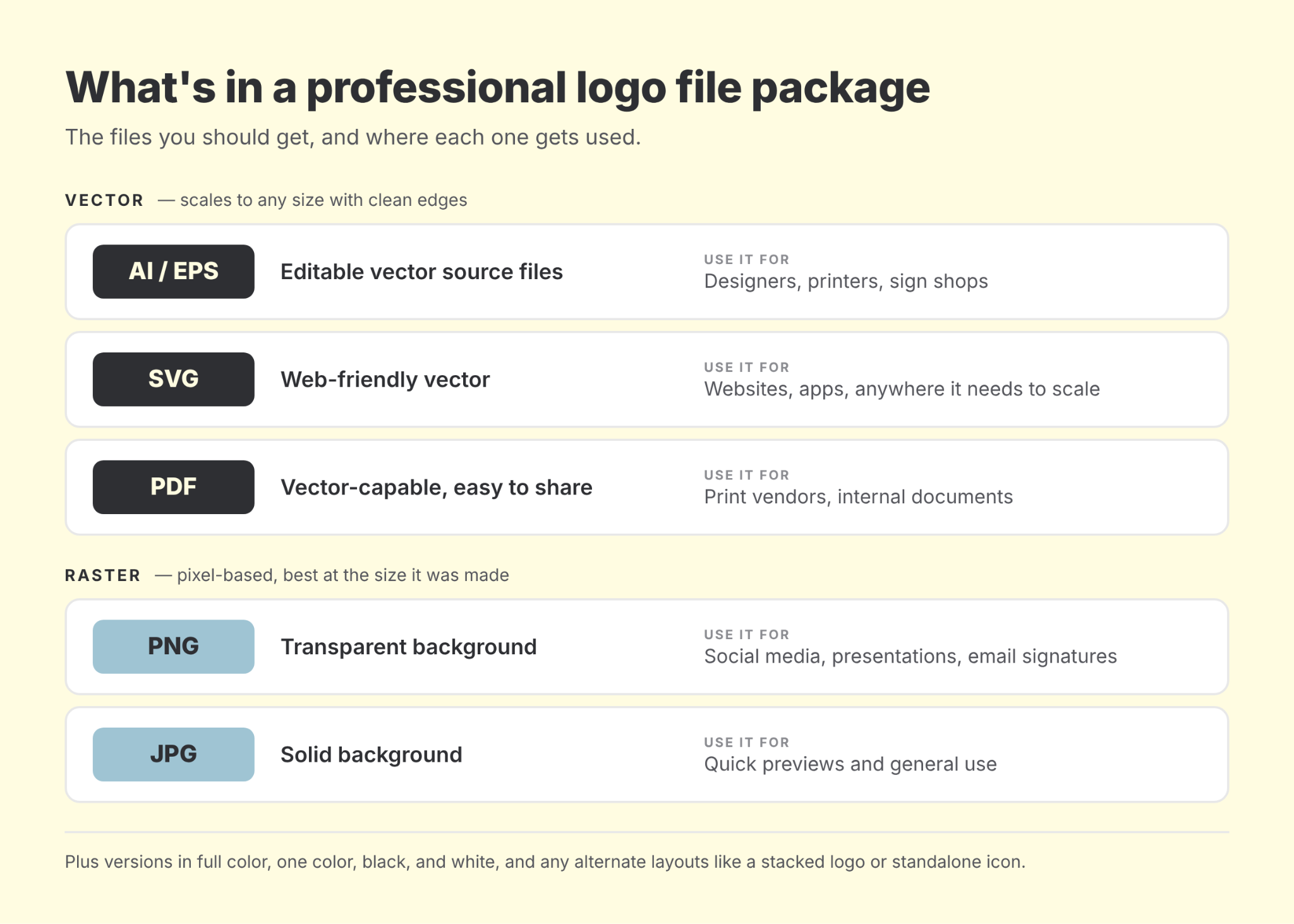
And since it trips people up: an .ai file has nothing to do with artificial intelligence. It's the native format for Adobe Illustrator, the industry-standard program for vector design and exactly where your logo should be made. So yes, your logo should come with an .ai file. No, that doesn't mean a robot made it.
You should also get versions in full color, one color, black, and white, plus any alternate layouts like a stacked version or a standalone icon. If you only have one PNG of your logo, you don't really have a logo system yet.
Faster Than You Think, Cheaper in the Long Run
Sure, AI and Canva are convenient, and it can feel faster to make a logo yourself in an afternoon. But working with a brand expert doesn't take as long as most people expect. We start with a conversation about your business, share hand-drawn concepts, refine the one that fits best, and deliver your finished logo along with brand guidelines.
Those guidelines spell out your colors, fonts, and how your logo should be used. They make every future project faster, because your web developer, printer, and anyone creating social posts for you are working from the same rules.
Now compare that with the DIY route: rebuilding the logo when a vendor needs a vector, fixing colors that never quite match, or paying for a full rebrand a few years in. Getting it right the first time saves time and money for years.
Where AI and Canva Do Fit
None of this means those tools are useless. Canva an be great for social graphics, flyers, and everyday content once you have a real brand to plug into it. AI can be helpful for brainstorming directions or gathering visual inspiration to bring to a designer. The issue is asking them to create the one asset your entire brand is built on.
Your logo will show up on every ad, every invoice, every sign, and every shirt for years. Spending a little more up front to get original artwork, a complete set of files, and a design that holds up in every format is one of the more practical investments a business can make.
If you're working with a DIY logo and starting to run into its limits, or you're launching something new and want to get it right from day one, the TargetMarket team can help. Reach out and let's talk about building a logo that's ready for everywhere your business is going.